 Android · iOS
Pixography
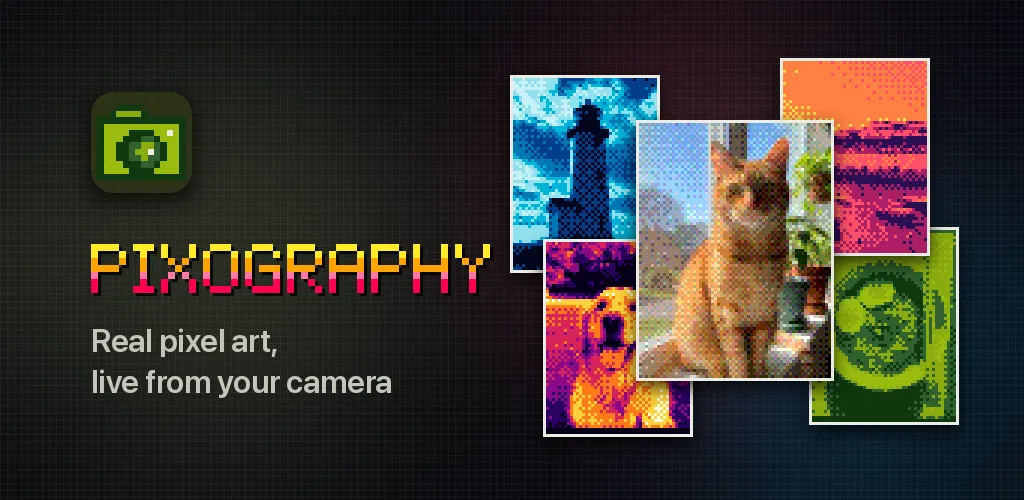
A camera that shoots real pixel art. What you see in the viewfinder is the picture you keep.
Pixography turns your phone’s camera into a pixel art camera. Point it at anything and the viewfinder shows it as real pixel art, live: every frame is cropped, shrunk onto a true pixel grid, dithered and snapped to the colors of the lens you picked. Press the shutter and you keep exactly that frame, pixel for pixel.
What’s inside
- Real pixels, not a filter. Each shot is a genuine low-resolution image, from 48×64 up to 384×512 pixels, where every pixel is one color from the lens’s palette. Nothing is blurred or smeared.
- 29 lenses. Detail lenses pick their colors from your scene, from Clean’s 128 colors down to Sprite 8’s bold game sprites. Then the retro palettes: Pea Soup’s four greens of an early handheld, pure 1-bit Ink, Thermal, Vapor, Amber CRT, Cyanotype, Newsprint and more.
- 41 effects you can stack. ASCII art, cross-stitch charts, Neon, Glitch, Pixel Sort, Tiny Planet, Kaleido and many others. The Subject effects find people, pets and things, so the background can go 1-bit while your subject stays crisp.
- Dithering your way. Bayer, halftone, line screen, film grain, and Floyd–Steinberg or Atkinson diffusion, with Detail, Contrast, Brightness and Color controls.
- What you see is what you keep. The shot is the frame on screen, even with animated effects.
- Pixelate it again later. Every shot keeps its original photo, so you can try another lens, grid or effect. Pick any picture from your library and develop it the same way.
- Crisp sharing. Share or save a shot at its native size, or upscaled ×8 or ×16 with hard pixel edges, ready for a wallpaper, a sprite sheet or a print.
Private by design
Pixography has no account, no ads and no tracking. The camera image is turned into pixel art on your phone, and your shots go only to the app’s roll, to your photo library and wherever you share them. On iPhone the app never connects to the internet. On Android, finding the subject uses Google ML Kit on your phone: your images are not sent anywhere.