 Android
Notificator
Rules for your notifications. Read them aloud, dismiss them, reply, copy codes and more.
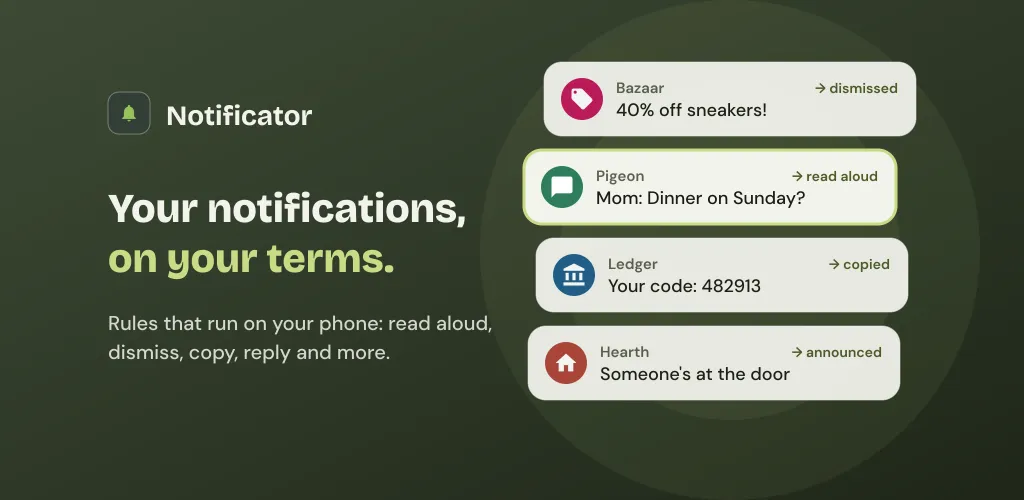
Notificator reads the notifications your apps post and does what you tell it to with them. Have your mom’s messages read aloud, hide shopping promos the moment they arrive, copy sign-in codes to the clipboard, or announce the doorbell while your phone is face down. Everything runs on your phone: there is no account, and nothing leaves the device unless you set it up to.
A history of everything
- Nothing gets lost. Every notification is kept with its text, icon and buttons, even after you swipe it away.
- Search it all. Search the whole history, accents and all, or filter it by app.
- Insights. See how many notifications arrived, which apps are the busiest, and how many your triggers handled for you.
Triggers, in plain words
A trigger is a set of conditions plus what to do when they match. You build it in three steps, and Notificator reads it back as a sentence: “When a notification arrives from Pigeon whose title mentions Mom, read it aloud.”
- Pick the apps. Always, never, or only when conditions hold.
- Conditions. Words in the title or text (or a regular expression), time of day and day of the week, priority, category, images, ongoing notifications, the Wi-Fi network or Bluetooth device you are connected to, and where you are.
- Start anywhere. From a template, or from any notification in your history. Share a trigger as a QR code.
Actions
- Read the notification aloud, or say a message of your own.
- Vibrate, play a sound (even on silent) or blink the flashlight.
- Dismiss it, reply to it, or press one of its own buttons, such as “Mark as read”.
- Copy its text to the clipboard, or open an app or a link.
- Call a webhook on your own server.
- Read it with an AI voice from an OpenAI-compatible server you choose.
Every run is logged. When an action can’t run, Notificator tells you why and what to change.
AI summaries, if you want them
Off by default. Get a summary of your day, or follow a person, a chat or an app over several days. Summaries run on the phone with a downloadable Gemma model, or on an OpenAI-compatible server you set up yourself.
Private by design
Notificator needs no account and has no ads, analytics or crash reporting. Your notification history stays on your phone and is kept out of Android’s cloud backup; an encrypted backup file, protected by a password and a recovery key, moves everything to a new phone. The only things that leave your phone are the ones you set up, such as a webhook, an AI voice, or summaries on your own server. Available in English, Spanish and French.